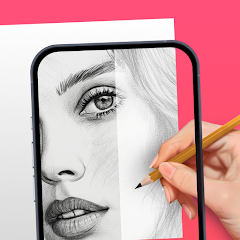
The AR Drawing: Sketch & Paint mobile app offers a range of features that make it a unique and enjoyable drawing experience. Users can create 3D drawings and paintings in their real-world environment using augmented reality technology. The app provides various drawing tools, including brushes, pencils, and markers, as well as a wide range of colors to choose from. Additionally, users can save and share their creations with others, making it a great tool for both personal and collaborative art projects. The app also supports photo import, allowing users to draw and paint directly on their own photos.
Features & Highlights
Real Experience
Security & Privacy
Frequently Asked Questions
Can I submit suggestions or feedback to AR Drawing: Sketch & Paint?
Yes, the app includes a feedback feature where users can submit suggestions, report issues, or share their experiences directly with the development team.
Does AR Drawing: Sketch & Paint collect my personal data?
The app may collect certain user data for functionality and improvement purposes, but it adheres to privacy policies to protect user information.
Does AR Drawing: Sketch & Paint support offline use?
Yes, users can access certain features and create art offline, but some functionalities may require an internet connection.
How do I cancel my AR Drawing: Sketch & Paint subscription?
Users can cancel their subscription through the app store settings on their device or by following the instructions provided within the app.
How much does a subscription to AR Drawing: Sketch & Paint cost?
Subscription pricing may vary, but typically it offers monthly and annual plans to access premium features at a competitive rate.
Is AR Drawing: Sketch & Paint a free app?
Yes, AR Drawing: Sketch & Paint is free to download and use, although it may offer in-app purchases or subscriptions for additional features.
What are the main features offered by AR Drawing: Sketch & Paint?
Main features include a variety of brushes and colors, the ability to create layers, 3D object manipulation, and the option to share artwork directly from the app.
What type of app is AR Drawing: Sketch & Paint?
AR Drawing: Sketch & Paint is an augmented reality drawing and painting application that allows users to create art in a 3D space using their device's camera.
Which platforms does AR Drawing: Sketch & Paint support?
The app is available on both iOS and Android platforms, making it accessible to a wide range of users.
Can I change my customer number?
Customer numbers are unique and cannot be changed. For any concerns, please reach out to customer service.
Can I log in using social media accounts?
Yes, you can log in using your Facebook or Google account if you linked them during registration.
How can I contact customer service for AR Drawing?
You can reach our customer service by emailing support
How do I activate my account after signing up?
To activate your account, check your email for a confirmation link and click on it to complete the process.
How do I log in if I forgot my password?
Click on the "Forgot Password" link on the login page, and follow the instructions to reset it.
I forgot my customer number; how can I retrieve it?
You can retrieve your customer number by logging into your account or contacting customer service for assistance.
Is customer service available on weekends?
Yes, our customer service team is available on weekends from 9 AM to 5 PM.
What if I receive an error during account activation?
If you encounter an error, please ensure you clicked the correct link in your email and contact customer service if the issue persists.
What should I do if I can't log in to my account?
If you're having trouble logging in, please reset your password using the "Forgot Password" link on the login page.
What should I do if my activation email hasn’t arrived?
Check your spam folder or request a new activation email through the app or website.